How can I save money on my Dominion Energy bill?

Youtilitics can download data from Dominion Energy and analyze it to help you save money.
Dominion Energy Virginia, headquartered in Richmond, delivers reliable electricity to over 2.5 million homes and businesses across the state. As a leading utility provider, it offers innovative energy solutions, including renewable energy programs, energy efficiency rebates, and smart billing options. Committed to sustainability, Dominion Energy powers Virginia with a mix of nuclear, natural gas, and renewable sources, ensuring affordable and eco-friendly energy. Manage your account easily through their user-friendly app or website.
How do I interpret my Dominion Energy bill?
A Dominion Energy statement usually mixes fixed fees with usage-based charges. Reading line items alongside interval data is the fastest way to explain a surprise total.
- Customer/service charge — fixed fee independent of usage
- Usage (volumetric) charge — multiplies kWh, therms, or gallons by the rate or tier
- Delivery vs generation (electric) — sometimes shown as separate line items
- Taxes, franchise fees, and riders — vary by city and utility
- Time-of-use or tiered pricing — the same kWh can cost more at peak hours or higher tiers
- Compare your Dominion Energy usage history month to month; dollar totals alone hide weather and rate changes
What is a typical monthly usage for Dominion Energy customers?
There is no single “correct” monthly use—climate, home size, and appliances matter more than the utility brand. Use these U.S. residential electricity benchmarks as a starting point, then compare against your own Dominion Energy history:
- Typical U.S. household electricity use: about 855 kWh/month
- National-average residential rate context: about 16.2¢/kWh (approx. 2024–2025 EIA ranges)
- Illustrative energy cost at those averages: roughly $140/month before fixed fees
- Your best benchmark is last year’s same month from Dominion Energy, not a national average
Sources: EIA Electric Power Monthly and RECS.
How can I lower my Dominion Energy bill?
- Track daily or hourly usage so a single high bill does not stay a mystery
- Cut continuous loads first (leaks, stuck valves, always-on equipment)
- Shift flexible loads (EV, dishwasher, laundry) to off-peak windows when available
- Identify baseline kW at night; vampire load often costs ~$100+/year per household
- Tune HVAC: 1–2°F setback, filter changes, and sealing duct leaks
- Upgrade high-use lighting and appliances to ENERGY STAR where payback is clear
- Re-check charts after each change to confirm the drop before the next bill
What features help with Dominion Energy data?
- Automatic or regular sync of electricity history from Dominion Energy
- Clear charts that show how much you use and when
- Alerts when usage jumps—useful for leaks, irrigation faults, or HVAC issues
- One place to track electricity trends without digging through PDFs
See the full features list for dashboard and analysis details.
Turn this
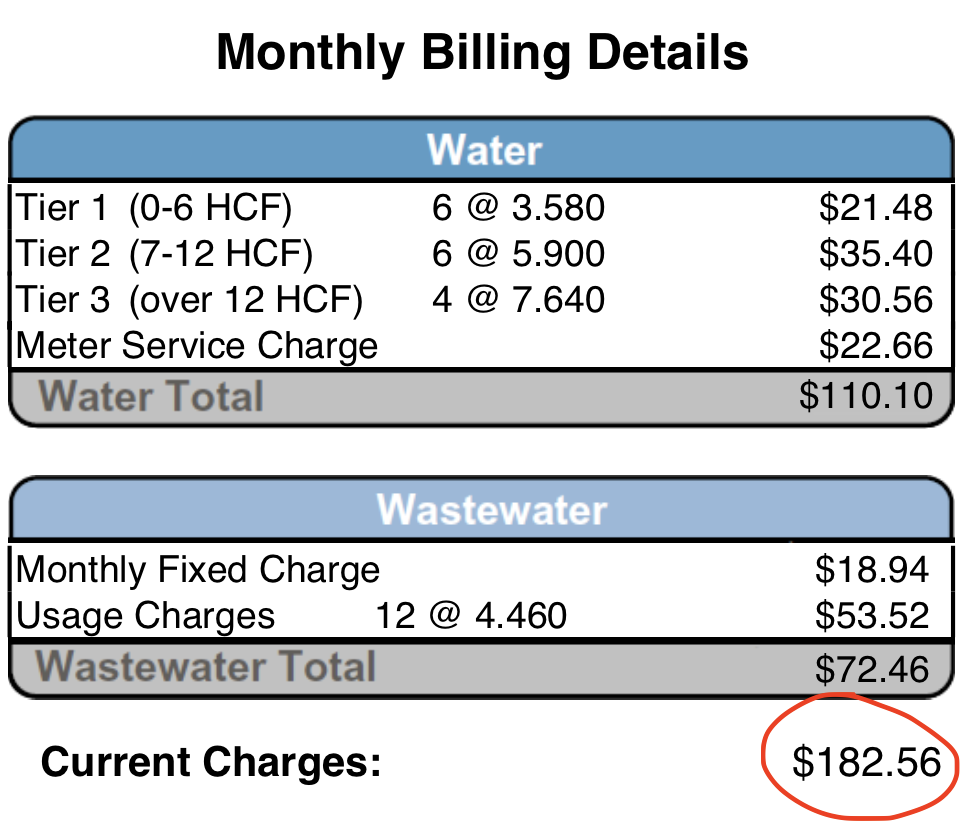
Into this
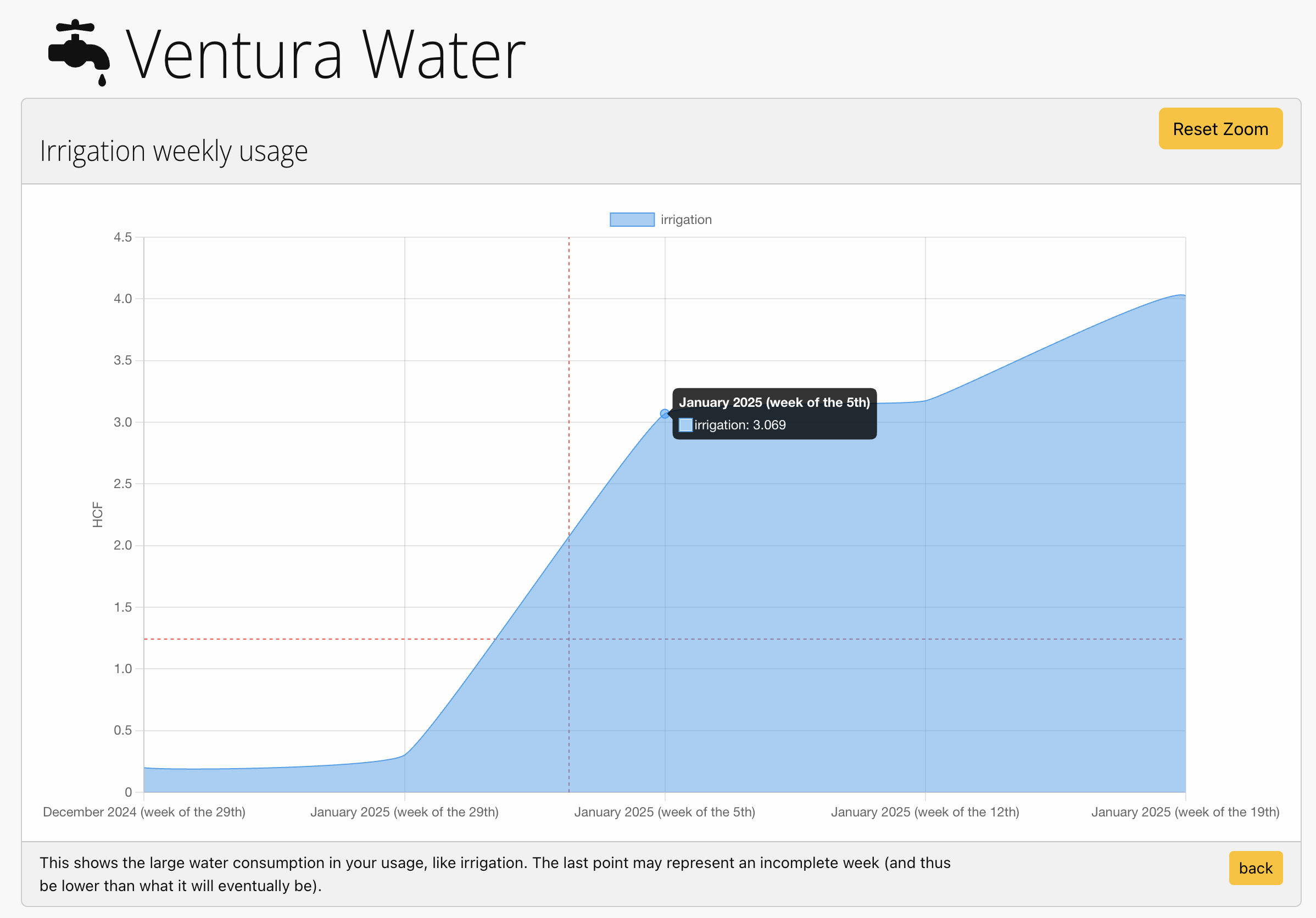
Youtilitics turns a confusingly high bill from your utility into a clear graph.
This 80% surge of price in this water bill was caused by irrigation.
How does it work with Dominion Energy?
Youtilitics analyzes your electricity consumption with Dominion Energy. Follow these steps:
- Connect your utility account. Link Dominion Energy (or upload Green Button / usage files) so Youtilitics can import meter history.
- Review charts for spikes and baseline load. Look for overnight baseline, irrigation peaks, EV charging windows, and HVAC ramps that drive the bill.
- Fix or schedule the biggest loads. Repair leaks, reprogram irrigation, move EV charging off-peak, and adjust thermostat schedules.
- Confirm savings with alerts and follow-up charts. Use spike alerts and month-over-month charts to verify usage dropped after each change.
This utility is compatible with Green Button™ but you will need to download Green Button™ XML files from your account to track usage.
Do I need to check Youtilitics every day?
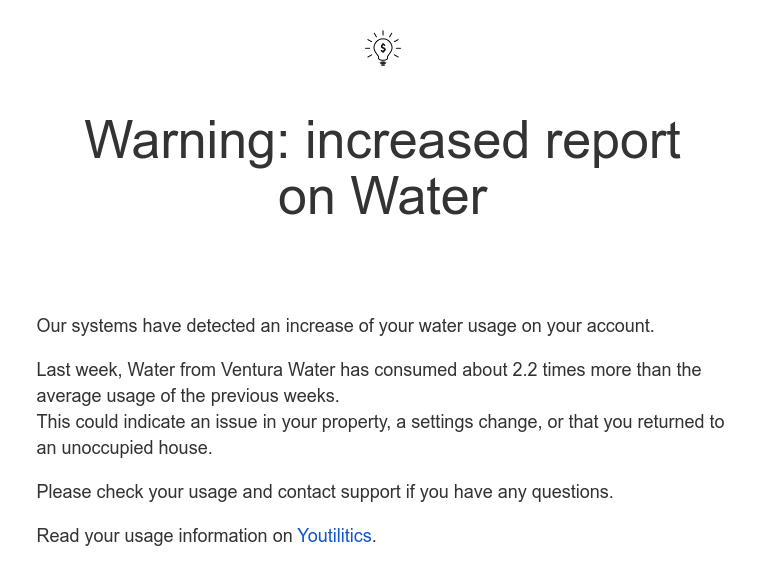
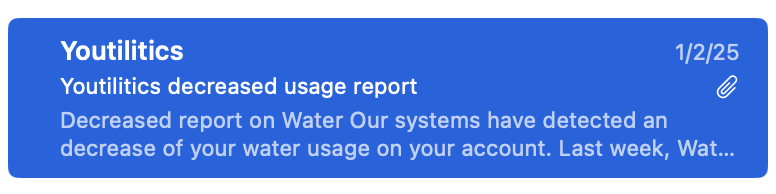
No. Systems check your usage routinely and can alert you if there is a sudden spike—so you hear about problems before the paper bill arrives.
Email alert
Problem solved
Frequently asked questions
How do I interpret my Dominion Energy bill?
Most Dominion Energy bills combine fixed charges (service/customer fees) with usage charges based on electricity consumed. Compare total usage to prior months, note any tier or time-of-use periods, and look for unusual spikes. Youtilitics charts the same meter data so you can see when usage rose instead of only seeing a dollar total.
What is a typical monthly usage for Dominion Energy customers?
Usage varies by home size, climate, and appliances. As a U.S. residential electricity benchmark, many households use roughly 855 kWh per month (about $139 at a national-average rate near 16.2¢/kWh). Your Dominion Energy history is the best baseline—compare your own months rather than a single national figure.
Can Youtilitics connect to Dominion Energy?
Yes. Dominion Energy offers Green Button™ access. Depending on your utility, you can use Connect My Data or upload Green Button XML files into Youtilitics.
How can I lower my Dominion Energy bill?
Start with visibility: track electricity daily or hourly to find peaks. Common wins include fixing leaks or continuous irrigation, shifting EV charging off-peak, reducing baseline “always-on” load, and tuning HVAC setpoints. Then re-check the same charts after each change to confirm savings.
Sources and evidence
Figures below are approximate statewide or national averages for context. Your bill and tariff always control.
- U.S. Energy Information Administration (EIA) — Residential electricity prices and sales (Electric Power Monthly)
- U.S. Energy Information Administration — RECS — Residential Energy Consumption Survey (typical household usage)
- NREL National Solar Radiation Database — Solar resource context for rooftop potential notes
- U.S. Department of Energy — Home energy-saving practices and idle-load guidance
Start saving on your Dominion Energy bill.
Get alerts when your energy usage looks abnormal — free trial, no card required.